
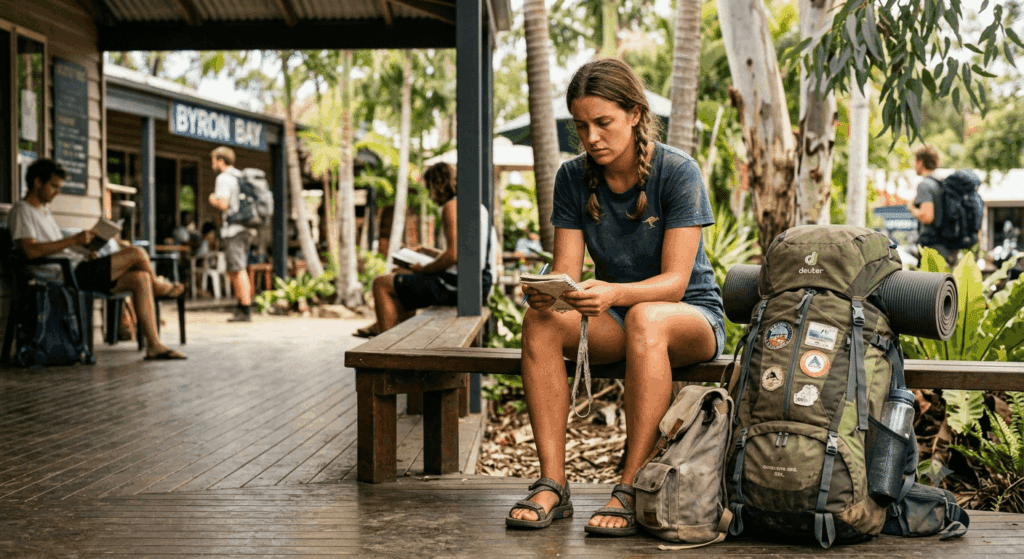
Losing your phone while backpacking Australia is far more than an inconvenience — it is a genuine emergency. Your device is your map, your bank, your proof of employment, your connection to home, and often the only thing standing between you and complete logistical chaos. Picture finishing a gruelling shift picking bananas in the crushing humidity of Tully, Queensland, reaching into your pocket for your piece-rate tally, and finding it empty. Or watching your phone slip from your pocket and fall under tractor tyres during a citrus shift in Mildura, Victoria. In an instant, your entire digital life is gone. This guide covers exactly what to do in the first 60 minutes, how to recover your banking and communications, and how to future-proof your digital setup before regional farm work begins — so a lost device never threatens your visa timeline.
The First 60 Minutes: What to Do Immediately After Losing Your Device
Swift, calculated action in the first hour after losing a device significantly improves your chances of recovery and limits the damage from unauthorised access.
Step 1: Retrace Before You Panic
A phone is often misplaced rather than stolen. Think carefully through your last hour — the break room, your pack’s inner pockets, the hostel kitchen — before escalating to theft recovery mode.
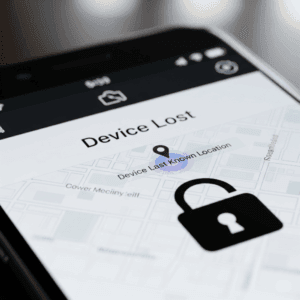
Step 2: Trigger Find My Device Remotely
- Apple devices — borrow a friend’s phone or use a hostel computer to log into iCloud.com/find. From here you can see your device’s location, play a sound, lock it with a custom message and contact number, or erase it remotely.
- Android devices — log into google.com/android/find to locate, lock, or erase your device, or play a sound to help find it nearby.
Critical pre-emptive step: these tracking features must be activated in your device settings before loss occurs. Set them up today if you have not already.
Step 3: Lock It Down and Change Critical Passwords
If you cannot immediately locate the device, lock it remotely to prevent unauthorised access. Then, from a trusted device, change your passwords in this order:
- Primary email password first — email access is the master key that allows someone to reset all your other accounts.
- All banking applications immediately after.
- Social media and payment apps like PayPal.
Always clear the browser history and cache after completing this process on any shared or hostel computer.
Step 4: File a Police Report
In Australia, a police report is required for any travel insurance claim involving stolen property. Report the loss to local police as soon as possible and keep the report reference number safe — you will need it for your insurance claim.
Recovering Your Digital Life: Passwords, Banking, and Communications
Our team at Backpack Australia consistently gives this practical advice when helping travelers prepare for regional jobs: losing your device feels like losing your digital identity, but recovery is entirely manageable when the right systems are in place before the emergency occurs.
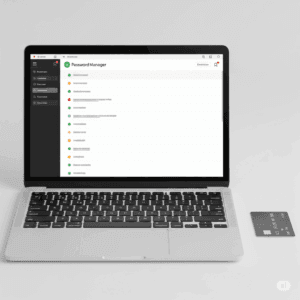
Password Retrieval Methods
| Method | Security Level | How It Works |
|---|---|---|
| Password Manager | High | Services like LastPass, 1Password, or Bitwarden store encrypted passwords in a secure vault. Access all your logins on any device using a single master password. |
| Browser Sync | Medium | Google, Apple, or Firefox sync allows password retrieval by logging into your account on another device. Less secure than dedicated managers. |
| “Forgot Password” | Variable | Reset links sent to your email or recovery number. Requires your recovery details to be current and accessible from a secondary device. |
Banking Without a Phone
- Carry physical cards separately — your debit and credit cards should always be stored in a separate, secure location from your phone. This is your non-negotiable financial backup.
- Use secure internet banking — hostel computers or public library terminals allow you to check balances, manage accounts, and initiate transfers. Clear all browser data immediately after each session.
- Contact your bank immediately — notify them of the loss so they can monitor for suspicious activity, freeze any compromised accounts, and arrange card replacements if needed.
- Emergency cash transfers — services like Western Union allow family or friends to send emergency funds for same-day cash pickup if your cards are completely compromised.
Staying Connected Without Your Device
If your Australian SIM card was in the lost or stolen device, contact your mobile provider — Telstra, Optus, or Vodafone — immediately to report it and arrange a replacement SIM that restores your existing number. In the meantime, free Wi-Fi at working hostels, cafes, and public libraries allows you to use WhatsApp or Messenger to contact home without any mobile data.
Future-Proofing Your Digital Life Before Regional Farm Work
Farm work is notoriously tough on equipment. Phones get dropped in mud, crushed in packing sheds, and left in baking sun. Setting up a robust digital backup system before you head to your first regional placement is the single most important thing you can do to prevent a lost phone from derailing your Australian working holiday.
Cloud Backups
- Enable automated photo and video syncing via Google Photos, iCloud, or Dropbox. Your travel memories stay safe even if the device does not.
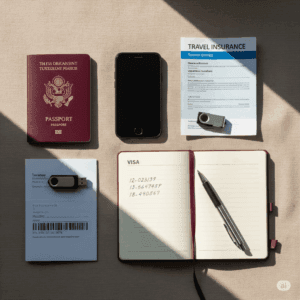
- Store scanned copies of your passport, visa grant notice, travel insurance policy, and flight confirmations in a dedicated cloud folder accessible from any device.
Physical Paper Copies
- Keep photocopies of your passport, driver’s licence, and insurance policy in at least two separate locations in your bags, and leave a third set with a trusted person at home.
- Carry a small physical notebook with written emergency contact numbers. If every device is dead or gone, this notebook saves you.

Multi-Factor Authentication
Enable MFA on your email and banking apps. This requires a second verification step — ideally via an authenticator app on a secondary device rather than SMS, so you retain access even without a functioning primary phone.
Secondary Device and Offline Maps
Download offline map areas in Google Maps or Maps.me before you head to any remote regional area. Traveling with an older, unlocked backup smartphone loaded with essential apps and kept charged in a secure location provides a practical fallback if your primary device is lost or damaged.
Travel Insurance Coverage
Ensure your comprehensive travel insurance policy explicitly covers device loss or theft, and read the fine print around accidental damage — policies vary significantly. For heavy-duty protective cases, secure daypacks, and durable gear built for Australian farm environments, check the Backpack Australia Resources Page.
Frequently Asked Questions: Surviving a Lost Phone While Backpacking Australia
Does travel insurance pay out for a dropped or crushed phone on farm work?
It depends entirely on your specific policy. Comprehensive travel insurance often covers loss or theft but may not cover accidental damage without an additional rider. Always read your Product Disclosure Statement carefully and ensure you know exactly what documentation — police report, purchase receipts, serial number — is required to file a claim before the emergency occurs.
How do I get a replacement SIM card if I’m doing regional work in a remote area?
Major regional hubs typically have mobile provider retail stores. If you are genuinely remote, most providers can arrange a replacement SIM mailed directly to your farm address or working hostel via a customer service call from a landline — ask your hostel manager for assistance if needed.
Is it safe to use a hostel communal computer for online banking?
It is manageable if you are careful. Only use computers you reasonably trust, ensure nobody is looking over your shoulder, never allow the browser to save your login credentials, and immediately clear the full browser cache, cookies, and history the moment you log out. Do not leave the session open for any reason.
Secure Your Farm Work and Your Digital Life Together
A lost phone while backpacking Australia is a manageable setback with the right systems in place — but an even bigger threat to your working holiday is wasting weeks trying to find legitimate regional work independently. Every day spent in an expensive city hostel scrolling outdated job boards is potential wages gone forever.
Backpack Australia has direct contact with over 4,000 eligible employers and connects with virtually all the legitimate working hostels across the country. We bypass the scams and the dead-end leads, putting you directly in front of employers who need reliable workers right now — so you knock out your 88 days fast, start earning immediately, and protect your visa timeline from every angle.
Sign Up for the Job Help Programme Newsletter to get immediate access to our exclusive employer and hostel networks today.
Final Thoughts
A lost phone while backpacking Australia is undoubtedly stressful, but it does not have to end your adventure or derail your visa timeline. By preparing your cloud backups and physical paper copies before you leave for any regional placement, knowing the exact steps to take in the first 60 minutes, and having banking and communication fallbacks ready to activate, you are genuinely prepared for the worst. Stay backed up, stay strategic, and keep exploring.